Everything automated except the judgement
Somny sells itself through landing pages, one for each kind of picture people go looking for. I built the pipeline that researches a topic, writes the page, generates every image on it, and hands me one proof to approve.

The pictures were the bottleneck
Somny needs a landing page for every kind of picture people search for, and each page carries eighteen images that all have to show the same recognizable characters.
The copy was never the slow part. Sourcing eighteen on-brand images was, because every one of them has to be generated, chosen, and cropped to a slot of a fixed size.
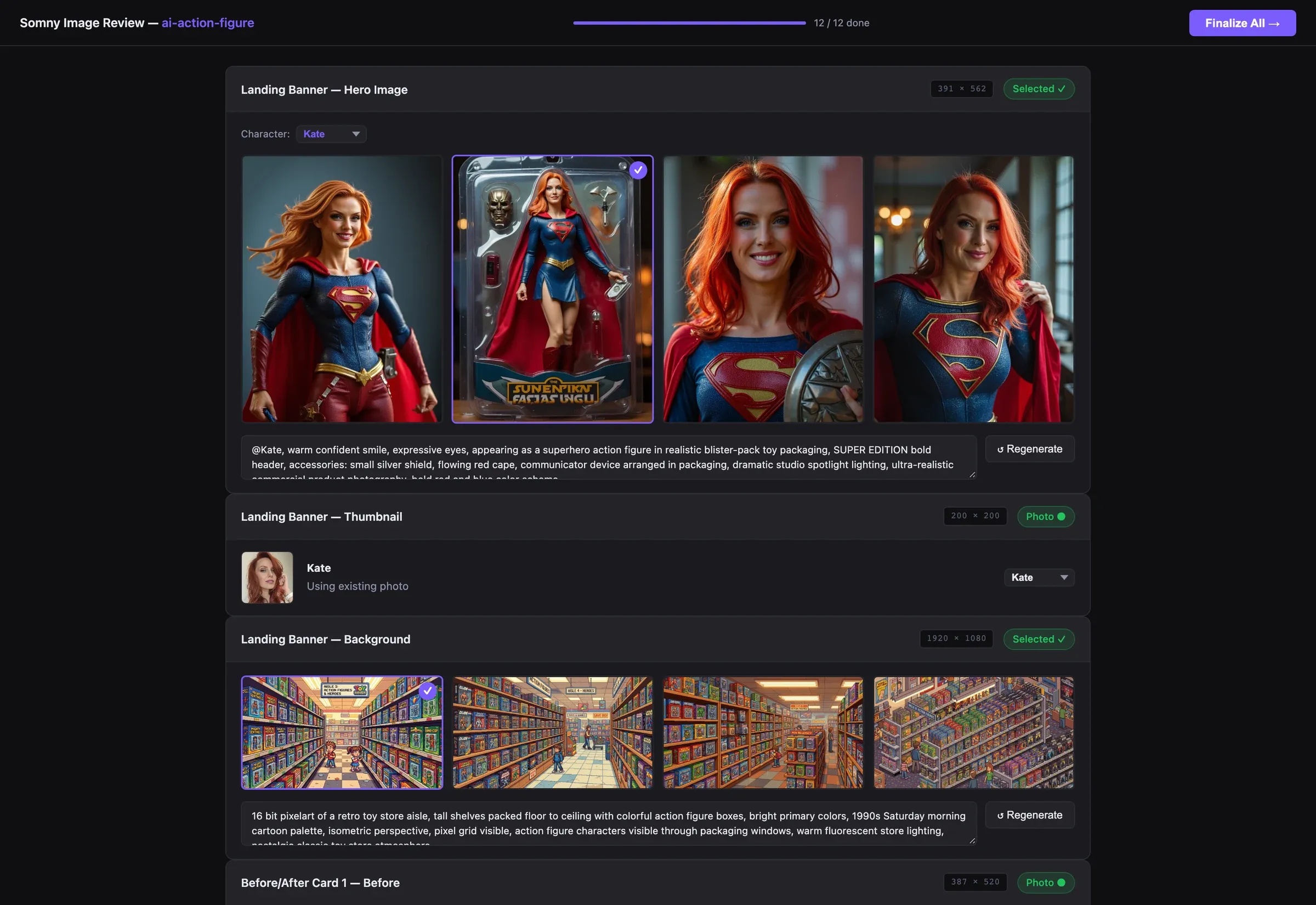
Left one judgement in the loop
I could have let it pick. It holds the prompt, the character and the four candidates, and best-of-four is exactly the call a model will make confidently. I kept the choice because confidently wrong is the failure that reaches a customer, and this is the one step where looking is faster than checking.
It generates four candidates and picks none of them. Choosing is the job I kept.
Built six pages the same way
I took six pages through end to end. Four are live and I left two sitting as drafts, because I made the pipeline write into the CMS as a draft and never straight to the site. I made that the default rather than a flag, because the only thing worse than a slow page is a wrong one nobody read before it appeared.




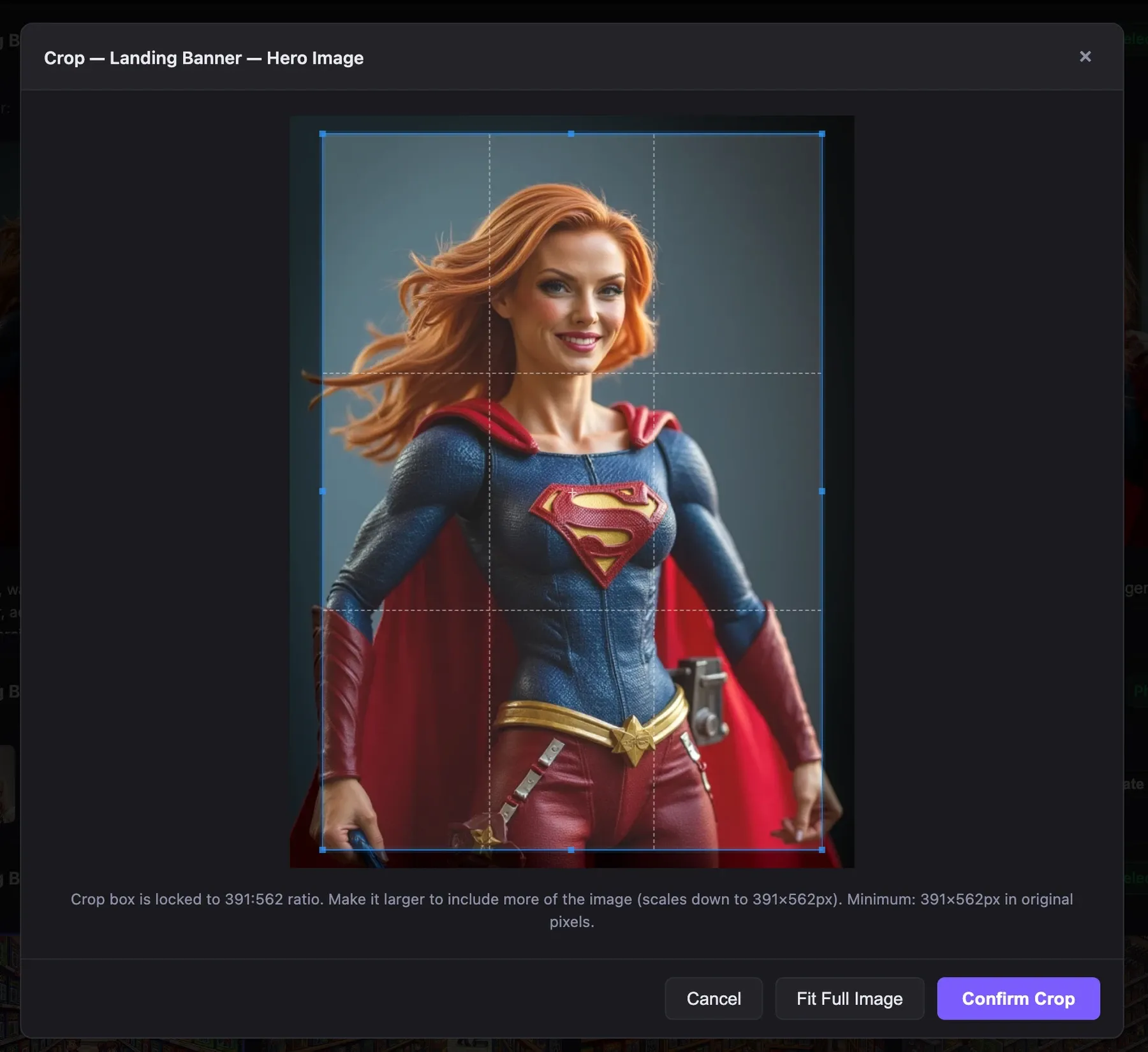
Locked the crop to the slot
I gave every slot a fixed shape, then locked the crop box to it and refused anything under its pixel floor. I would rather make a bad crop impossible than catch one later, because catching it later means spotting a stretched hero after it is live and going back around for it.

Cast the characters by rule, not mood
I cast nine people across all six pages, and I wrote the casting as rules rather than picking each time: weights, so some turn up more often, and topic gates, so pet pages get pets and professional pages get adults. I wrote them because left to choose freely it casts its favorite, and then every page looks like the same person.
Mapped every slot to its CMS field
I mapped every slot to its field by hand, so the last step writes the whole page into the headless CMS I set up in one call: eighteen images and every block of copy landing where it belongs. I did that mapping myself because a page arriving half-assembled costs more than one never generated at all.